
A map can feel slow even when its database query is fast. The browser still has to download geometry, parse JSON, allocate objects, and draw thousands of labels while keeping panning responsive. If you send the entire dataset in one request, the browser has to handle all of that data.
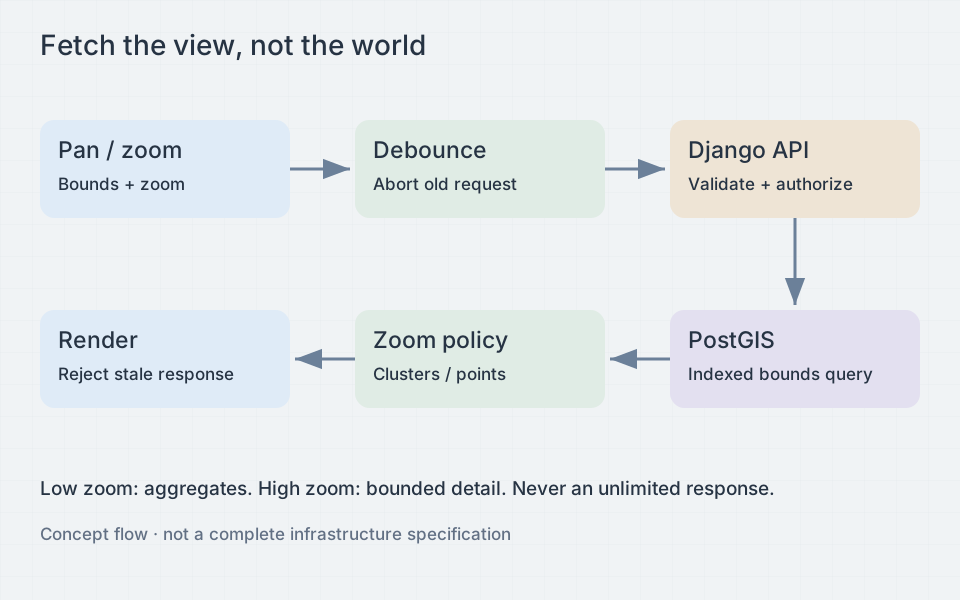
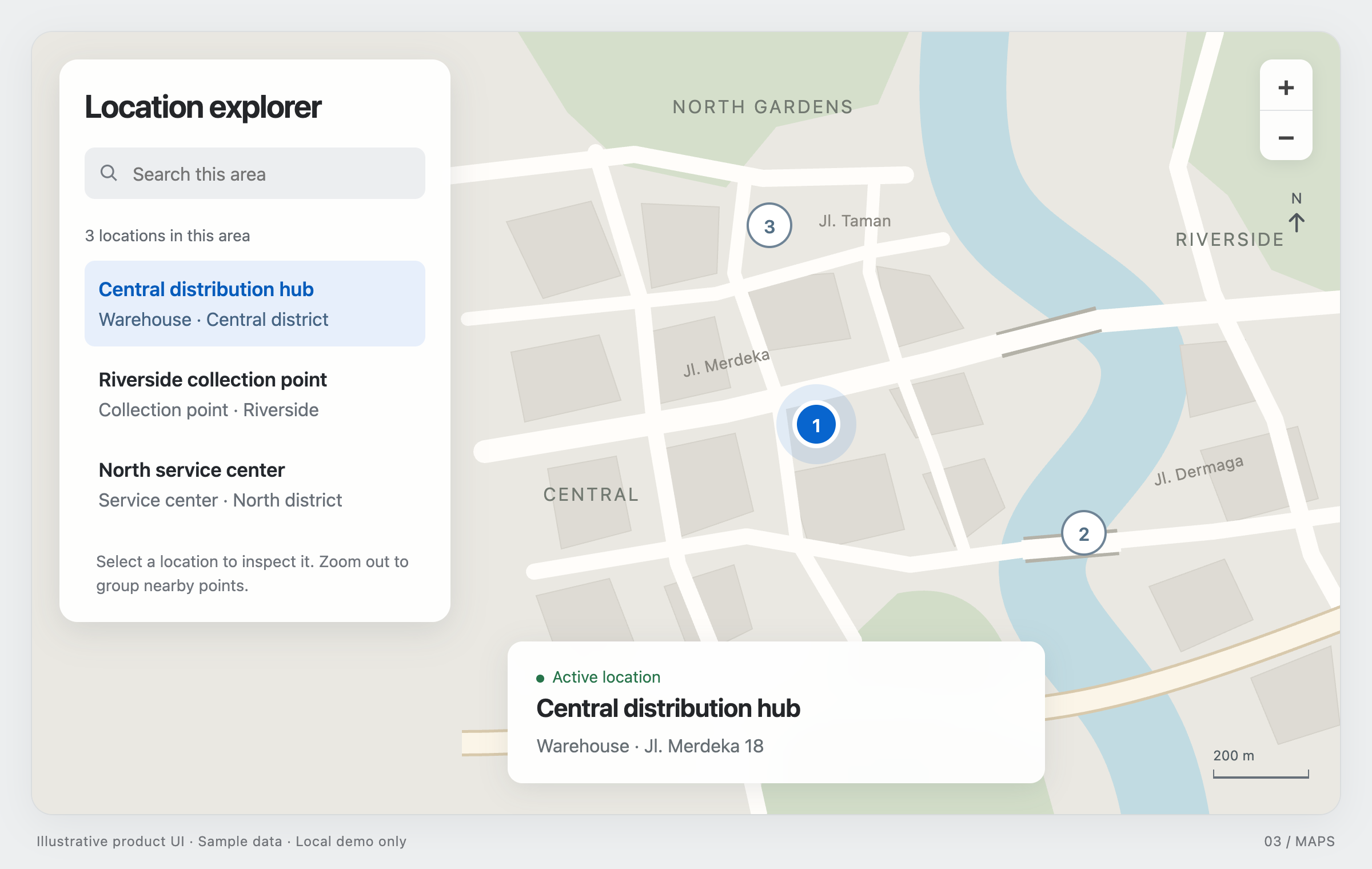
A viewport-driven API returns data for the visible area at the current zoom: perhaps clusters at a regional scale and individual points at street level. Detailed geometry can wait until someone selects a feature. Define these response types in the server contract so each map movement requests a bounded amount of data.
Define bounds before writing SQL
Use an explicit coordinate convention: west, south, east, north in longitude and latitude, with an integer zoom and named filters. GeoJSON coordinates use longitude first. Mixing latitude and longitude can produce valid numbers that query the wrong continent, which makes this mistake harder to notice than a syntax error.
For a conventional box, west is less than east. A box crossing the antimeridian is different: west might be 170 and east might be -175. That request covers a narrow strip around the date line, not nearly the whole world. Split it into two envelopes, one ending at 180 and one beginning at -180.
Some map libraries report unwrapped bounds outside the usual longitude range after repeated panning. Normalize them in an adapter before sending the request. Define how to represent a viewport spanning the whole world, since normalizing both ends independently can accidentally turn it into an empty box. Latitude limits also depend on the projection. A Web Mercator interface should reject values outside its supported latitude range; it cannot display the poles.
Let PostGIS use its index
For point locations stored as geometry with SRID 4326, a GiST index supports bounding-box filtering. Keep the indexed column in its native reference system during filtering. Transforming every stored point in the WHERE clause can prevent use of the ordinary index unless a matching expression index exists.
CREATE INDEX place_geom_gist ON place USING GIST (geom);

SELECT id, name, ST_X(geom) AS longitude, ST_Y(geom) AS latitude
FROM place
WHERE tenant_id = %(tenant_id)s
  AND geom && ST_MakeEnvelope(
    %(west)s, %(south)s, %(east)s, %(north)s, 4326
  )
ORDER BY id
LIMIT %(limit_plus_one)s;
This parameterized query handles one envelope that does not cross the antimeridian. For points, the bounding-box check determines whether a point falls inside the viewport. For lines and polygons, bounding boxes only narrow down the candidates; use an exact spatial predicate such as ST_Intersects when false positives matter. Avoid returning full polygon geometry just to place a label.
For an antimeridian request, query both envelopes with an OR predicate or two bounded branches. Deduplicate by feature ID before enforcing the final limit. Features lying on shared boundaries can otherwise appear twice in split or tiled results. Check the query plan with EXPLAIN (ANALYZE, BUFFERS) on representative data. Having an index does not guarantee a fast query, and a sequential scan may be reasonable for a world-sized box.
Choose response detail by zoom level
A response cap prevents accidental megabyte-scale payloads, but a bare LIMIT can hide arbitrary features and mislead users. Request one extra row to detect truncation, then return an explicit truncated flag and a suggested zoom level. Do not imply that the returned features are the complete population when they are only a sample.
At low zoom, return clusters or density cells with documented counts. At higher zoom, return bounded individual features. Stable grid cells are easier to cache than clusters whose membership changes whenever the viewport shifts. Compute cells in an appropriate projected coordinate system; rounding longitude and latitude gives cells with inconsistent physical sizes.
Aggregating millions of records for a viewport can still be expensive. For wide views, consider precomputed aggregates or vector tiles. Tiles can be cached and loaded independently, though you then need to handle clipping, duplicates at tile boundaries, and cache invalidation. Make clear whether a count covers the whole cluster or only its visible members. Use stable feature IDs when a geometry appears in neighboring tiles.
Set zoom thresholds and maximum detail on the server. Validate the zoom sent by the client and prevent requests for every feature at once. Limit the bounds area for detail requests, response bytes, and point counts, and set database statement timeouts. For huge geometries, simplification or a tile-based detail endpoint is safer than one oversized GeoJSON response.
Cancel work and reject stale responses
Debounce settled map movements rather than firing a request on every animation frame. A short delay reduces request volume during a pan. Keep existing features visible with a loading indicator while fetching their replacements; clearing the layer immediately makes the map flicker.
Cancellation alone is insufficient. A response can finish just before an abort or race with parsing. Pair an abort controller with a generation counter:
let generation = 0;
let controller;
let timer;

function scheduleViewport(query, render, showError) {
  const requestId = ++generation;
  clearTimeout(timer);
  controller?.abort();
  timer = setTimeout(async () => {
    controller = new AbortController();
    try {
      const response = await fetch(`/api/places?${query}`, {
        signal: controller.signal,
      });
      if (!response.ok) throw new Error(`HTTP ${response.status}`);
      const result = await response.json();
      if (requestId === generation) render(result);
    } catch (error) {
      if (requestId === generation && error.name !== 'AbortError') {
        showError(error);
      }
    }
  }, 180);
}

function disposeViewportLoader() {
  generation += 1;
  clearTimeout(timer);
  controller?.abort();
}
Tune the example delay for your map. Incrementing the generation when scheduling invalidates the previous request immediately, including during the debounce window. Call the disposal function when the map unmounts. Include filters in the request identity alongside bounds and zoom so a response for an earlier filter cannot replace the current layer.
Browser abort does not guarantee that a reverse proxy, application worker, or database stops executing. Server timeouts and bounded queries remain necessary. Deduplicate identical in-flight requests if multiple map components share a data source.
Validate and measure both ends
Parse every coordinate as a finite number. Reject malformed boxes, reversed latitude bounds, unsupported zooms, unknown filters, and oversized query strings. Apply tenant authorization before spatial filtering. A cluster count can leak private information just as a point can. Cache keys must include authorization scope, filters, representation version, bounds or tile identity, and zoom bucket.
Limit how much the browser has to render, too. Thousands of DOM markers can cost more to render than a WebGL layer with more points. Limit labels, use canvas or WebGL for dense data, and fetch popup details on demand. A worker can move parsing or indexing off the main thread, but copying large payloads between threads still costs time and memory.
Measure database time, response bytes, JSON parsing, layer update duration, and interaction latency separately. Test empty results, dense cities, rapid filter changes, slow networks, and date-line crossings. Check that an old response never replaces the data for the current viewport. A wide view should also stay within its limits as the underlying dataset grows.